GitHub Copilot for Xcode was, for a long time, the easiest way to get AI help inside Apple’s IDE. It’s still a solid choice. But 2026 has given Swift developers many more options. Xcode now ships its own coding agents, Xcode-focused tools have matured, and general-purpose agents like Claude Code can connect straight to Xcode.
If you’re wondering whether something else fits your work better, this guide compares five alternatives on what matters for iOS and macOS development. We make one of them, Phoenix.vu, and we say so where it comes up. We’ve tried to be fair to all of them, including Copilot.
Reasons you might look beyond Copilot for Xcode
- You want an agent built around Xcode builds, not a code-completion tool that added an agent later.
- You’d rather not grant a background app Accessibility and Source Editor Extension permissions.
- You don’t want another monthly plan with an AI-credit allowance on top.
- You want every change shown as a diff you approve before it’s applied.
- You want help with Apple-specific chores too: privacy manifests, App Review risks, Human Interface Guidelines.
Quick picks
- Best for Xcode-native agent work without a subscription:Phoenix.vu
- Best if you already pay for Claude or ChatGPT:Xcode's built-in agents
- Best for terminal-first developers:Claude Code or Codex CLI, connected to Xcode
- Best if you want AI chat without an agent:ChatGPT or Claude chat in Xcode
- Best if you also write non-Apple code:Cursor, alongside Xcode
What Copilot for Xcode does well
Before looking at alternatives, it's worth being clear about what Copilot gets right. For some developers, it's still the best fit.
- Inline code completion.Copilot’s roots are in autocomplete, and it shows. You start typing or write a comment, and suggestions appear in the editor. Press Tab to accept the first line, or Option-Tab to accept the whole suggestion. If you mostly want faster typing rather than an agent doing larger tasks, few tools are as polished.
- Agent mode and MCP.Copilot for Xcode has grown well beyond completions. Its agent mode can edit files, run terminal commands, search your codebase and create files. It also supports Model Context Protocol (MCP) tools, so you can extend what the agent can do.
- A free tier and a range of plans.Copilot Free includes 2,000 completions and 50 chat requests a month. Pro costs $10 a month and includes $15 of AI credits. Pro+ is $39 with $70 of credits, and Max is $100 with $200 of credits. Since 1 June 2026, chat and agent work draws on those AI credits at each model’s token rates, while completions stay included.
- One account across editors.If your team already uses Copilot in VS Code, JetBrains or on GitHub.com, the same plan covers Xcode.
- Open-source client.The Xcode app is MIT-licensed, so you can inspect how it works.
What to know before you commit. Copilot for Xcode runs as a separate background app alongside Xcode. It needs three macOS permissions: Background, Accessibility and the Xcode Source Editor Extension. It requires macOS 13 or later and Xcode 14 or later. Heavy agent users should watch the usage panel, because agent work now spends credits.
How we compared the alternatives
Generic "best AI coding tool" lists rank tools on things that don’t matter much for Apple development. We looked at five questions that do:
- How close is it to Xcode?Does it work with Xcode’s builds, errors and project structure, or do you switch between two editors?
- Can it run the build-fix loop?Can it build your project, read the errors and fix them without you copying and pasting?
- How do you review changes?Do you see a diff and approve it, or do changes land and you undo them afterwards?
- How do you pay?Subscription, credits, pay per task, or through an account you already have?
- What happens to your code?What’s sent to model providers, and what’s kept?
Prices and features below come from each product’s own pages as of October 2026. They change often, so check before you buy.
One tool you’ll no longer find on these lists is Alex Sidebar. Its team joined OpenAI, and new downloads stopped on 1 October 2025. Existing installs still work but get no updates. If you were an Alex user, our Alex Sidebar alternative guide covers your options.
01 Phoenix.vu
Best for Xcode-native agent work without a subscription
Disclosure: this is our product.
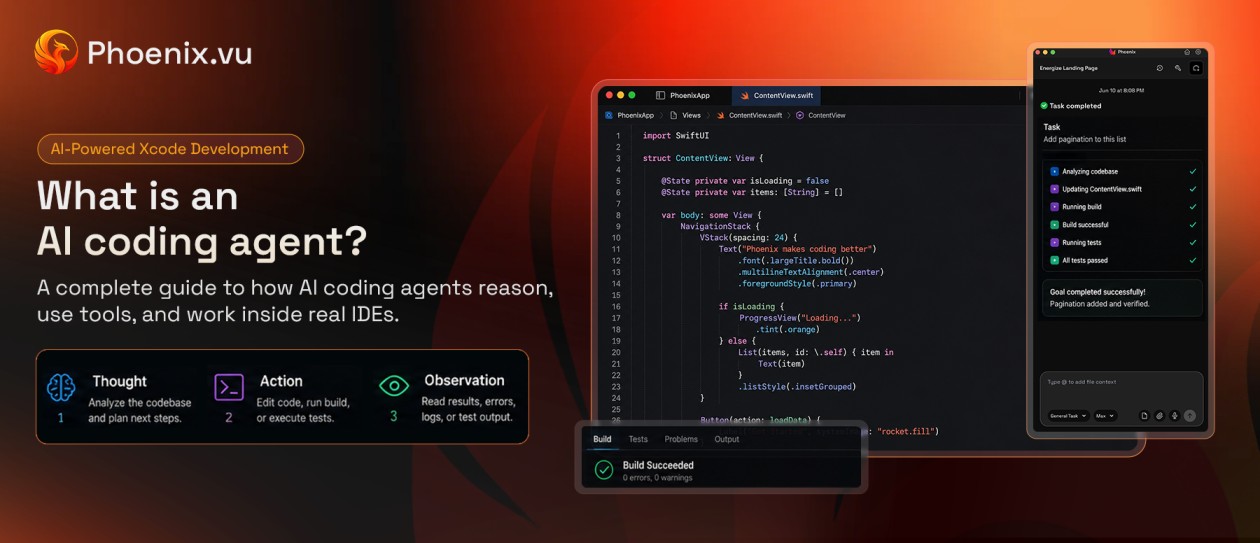
Phoenix.vu is an AI coding agent that runs side by side with Xcode. Where Copilot started as autocomplete, Phoenix was built as an agent from day one. You describe a change in plain English. Phoenix writes the Swift, runs the build, reads the errors and fixes them, up to five build attempts per task. If the build still fails after that, it stops and explains what’s left rather than looping on your credits.
Diff-first review
Every change appears as a diff you approve or reject. Phoenix records each file before it first touches it, so rejecting a change truly reverses it: an edited file gets its original bytes back, and a created file is deleted and removed from the Xcode target.
It asks before risky changes
Phoenix checks with you before touching code signing, entitlements, Info.plist, build settings, dependency versions or anything that runs during a build, such as Run Script phases and Package.swift.
Secrets stay masked
API keys and other secret-looking values in plists, xcconfig files and .env files are replaced with a placeholder before anything is sent to a model.
A map of your project
At the start of each task Phoenix builds a knowledge graph of your Swift code: every type, method, conformance and file dependency. It then reads only the files it needs instead of pasting your whole project into the prompt.
Apple-specific tools
Beyond the agent, Phoenix includes an App Review Checker, a Privacy Manifest Generator, a HIG Analyzer, Memory Diagnostics, Build Performance analysis, App Information briefings and App Store screenshot generation (see capabilities). Each runs a free local scan first; you only spend credits when you ask the AI to explain or fix a finding.
Your choice of model
Pick from Claude, GPT, DeepSeek, Kimi, Qwen and other model families, and set the effort to Low, Balanced or High to trade speed and cost against depth.
- Pricing.No subscription. $1 buys 100 credits, top-ups start at $10, and credits never expire. New accounts get 500 free credits, and there’s a 14-day refund (see pricing).
- Trade-offs.Phoenix doesn’t offer inline autocomplete as you type. It’s for handing off tasks, not finishing your lines. It doesn’t render SwiftUI previews itself, so you check those in Xcode’s canvas. It’s also newer, with a smaller community than GitHub’s, and it needs macOS 26 or later.
Choose it if you want an agent focused on Xcode builds and Apple’s rules, want to approve every change, and prefer paying per task over a monthly plan.
02 Xcode's built-in agents
Best if you already pay for Claude or ChatGPT
Since Xcode 26.3, Apple ships Claude Agent (from Anthropic) and Codex (from OpenAI) inside Xcode. Xcode 27 added plan mode, SwiftUI preview rendering, test runs, image and sketch attachments, and parallel sub-agents.
- What stands out.No extra app or permissions. Agents can build, render previews, write and run tests, and search Apple's documentation. An artifacts pane shows the files, diffs and previews each message produced.
- Pricing.The agents ship with Xcode but run on your account with each provider, so usage follows your Anthropic or OpenAI plan.
- Trade-offs.The newest features need Xcode 27. You manage an account and limits with each provider you use, and your Xcode work shares those limits with everything else you use the plan for.
Choose it if you already pay for Claude or ChatGPT and want the deepest Xcode integration available.
03 Claude Code or Codex CLI, connected to Xcode
Best for terminal-first developers
If you prefer the terminal, you can run Claude Code or OpenAI’s Codex CLI and connect it to Xcode through Xcode’s MCP server. In Xcode, go to Settings > Intelligence and, under Model Context Protocol, turn on "Allow external agents to use Xcode tools". Then run claude mcp add --transport stdio xcode -- xcrun mcpbridge, or codex mcp add xcode -- xcrun mcpbridge for Codex.
- What stands out.Full agent power with access to Xcode's build tools. You can add project hints in CLAUDE.md or AGENTS.md files.
- Pricing.Through your Anthropic or OpenAI plan. Claude Pro, which includes Claude Code, is $20 a month.
- Trade-offs.Setup takes a few terminal commands, and you work across two windows. Better suited to experienced developers.
Choose it if you already live in the terminal and want the most control over your agent.
04 ChatGPT or Claude chat in Xcode
Best if you want help without an agent
Xcode also includes plain chat with ChatGPT and Claude models. You ask questions and get answers and proposed code. You can turn off "Automatically apply code changes" so nothing is edited without your say-so.
- What stands out.The lowest-friction option. ChatGPT in Xcode works even with a free ChatGPT account. You can also connect other providers, including models running locally on your Mac.
- Trade-offs.Chat doesn't run the full build-fix loop the way agents do. It's better for questions and small edits than for bigger tasks.
Choose it if you mainly want explanations and occasional snippets, or you’re just starting with AI in Xcode.
05 Cursor
Best if you also write non-Apple code
Cursor is a popular AI-first code editor built on VS Code. It isn't an Xcode tool: you edit Swift in Cursor and build, sign and run your app in Xcode, or through an extension such as SweetPad that drives Xcode's build tools from the editor.
- What stands out.Strong multi-file agents and tab completion, and one editor for your web, backend and Swift code.
- Pricing.Free Hobby plan with limited agent use; Individual at $20 a month; Teams at $40 per user a month.
- Trade-offs.You work in two apps, and Swift tooling comes from extensions rather than Xcode itself. For a deeper comparison, read Cursor for Xcode.
Choose it if Swift is only part of your week and you want one editor for everything.
Copilot for Xcode and alternatives compared
Six tools, side by side| Tool | Works with Xcode | Build-fix loop | Reviewing changes | Apple-specific checks | Pricing (Oct 2026) |
|---|
| GitHub Copilot for Xcode | Background app + Source Editor Extension | Agent mode can edit and run commands | In the Copilot chat panel | Via MCP tools you add | Free; Pro $10/mo; Pro+ $39/mo; Max $100/mo |
| Phoenix.vu | Side by side with Xcode | Yes, built around it (up to 5 builds per task) | Diff for every change; approve or reject | 7 built-in tools (App Review, privacy manifest, HIG and more) | Pay per task; from $10; 500 free credits |
| Xcode built-in agents | Inside Xcode | Yes, plus previews and tests (Xcode 27) | Artifacts pane; plan mode | Apple's bundled skills and plug-ins | Your Anthropic or OpenAI plan |
| Claude Code / Codex CLI | Terminal, via Xcode's MCP server | Yes, through Xcode tools | In the terminal or your Git client | Skills you install | Your Anthropic or OpenAI plan |
| ChatGPT / Claude chat in Xcode | Inside Xcode | No; chat and proposals | Proposal mode; apply by hand | No | Free ChatGPT tier, or your plan |
| Cursor | Separate editor; build via Xcode or SweetPad | Through extensions | In Cursor | Skills and rules you add | Free Hobby; $20/mo Individual |
The pattern: the closer a tool sits to Xcode’s build system, the better it handles Swift-specific work. The main differences are how you pay, how you review changes, and how much Apple-specific help you get out of the box.
How to choose
Start with what you already have, then with how you like to work.
- If you mostly want autocomplete, stay with Copilot.Its inline suggestions are its strongest feature, and the free tier may be all you need.
- If you already pay for Claude or ChatGPT, try Xcode’s built-in agents first.You’ve already paid for them, and nothing integrates more deeply with Xcode.
- If you want to hand off whole tasks and review the result, look at an agent built around the build-fix loop.Phoenix.vu and Xcode's built-in agents both do this. The choice comes down to whether you’d rather pay per task (Phoenix) or through a provider plan (Xcode).
- If you’re getting ready to ship, look for help with the parts that cause App Store rejections.Phoenix’s App Review Checker and Privacy Manifest Generator scan your project locally before you submit.
- If your AI use comes in bursts, pay-per-task pricing usually works out better than a plan you don’t fully use.Phoenix credits never expire, so a quiet month costs nothing.
- If you live in the terminal, connect Claude Code or Codex to Xcode through MCP.
- If you write a lot of non-Swift code, Cursor gives you one editor for everything,as long as you’re happy building through Xcode or an extension.
You don’t have to pick just one. A common setup is a completion tool for typing plus an agent for bigger jobs. The one thing to avoid is running two agents on the same files at the same time. Finish a task, commit, then switch.
Common questions
Is GitHub Copilot for Xcode free?
There’s a free plan with 2,000 completions and 50 chat requests a month. Paid plans start at $10 a month, and agent work draws on each plan’s AI credits.
What's the best free alternative to Copilot for Xcode?
ChatGPT in Xcode works with a free ChatGPT account and needs no extra app. Phoenix.vu gives new accounts 500 free credits to try agent tasks, with no subscription after that. Cursor also has a free Hobby plan, though it’s a separate editor.
Do I still need an extra tool now that Xcode has built-in agents?
Not necessarily. If you already pay for Claude or ChatGPT, the built-in agents may be all you need. Other tools make sense when you want a different pricing model, diff-first review, secret masking, or Apple-specific checks such as privacy manifests and App Review risks.
Which alternative is safest for private code?
Check three things: what’s sent to model providers, whether it’s retained, and whether you approve changes before they’re applied. Phoenix keeps your project on your Mac, masks secret values before sending anything, and sends only the files each task needs. For a full checklist, read Is It Safe to Use an AI Coding Agent?