Every few months, another tool starts calling itself an "AI coding agent." Some of them are genuinely agents. Many are still autocomplete with better marketing. The difference isn't cosmetic — it changes what the tool can actually be trusted to do on its own, and it's worth understanding clearly before you hand one access to your codebase, your terminal, or your build system.
This guide covers what an AI coding agent actually is, how it reasons through a task, the engineering underneath it, and how that changes once you move from a general-purpose text editor into a native, platform-specific environment like Xcode.
01 What is an AI coding agent?
An AI coding agent is an autonomous system that takes a high-level, natural language goal — "add pagination to this list," "fix this failing test" — and independently plans a multi-step engineering task, writes the code, executes it, and iterates based on what happens when it runs. It isn't predicting the next few lines of a file you're already writing. It's pursuing a goal across many steps, using tools, until that goal is met or it needs your input.
That autonomy is the entire distinction. A tool that suggests a line of code is assisting you. A tool that writes the code, compiles it, reads the error, and fixes it without being asked again is acting as an agent.
02 AI assistants vs. AI agents: the architectural shift
The two categories are built around fundamentally different loops.
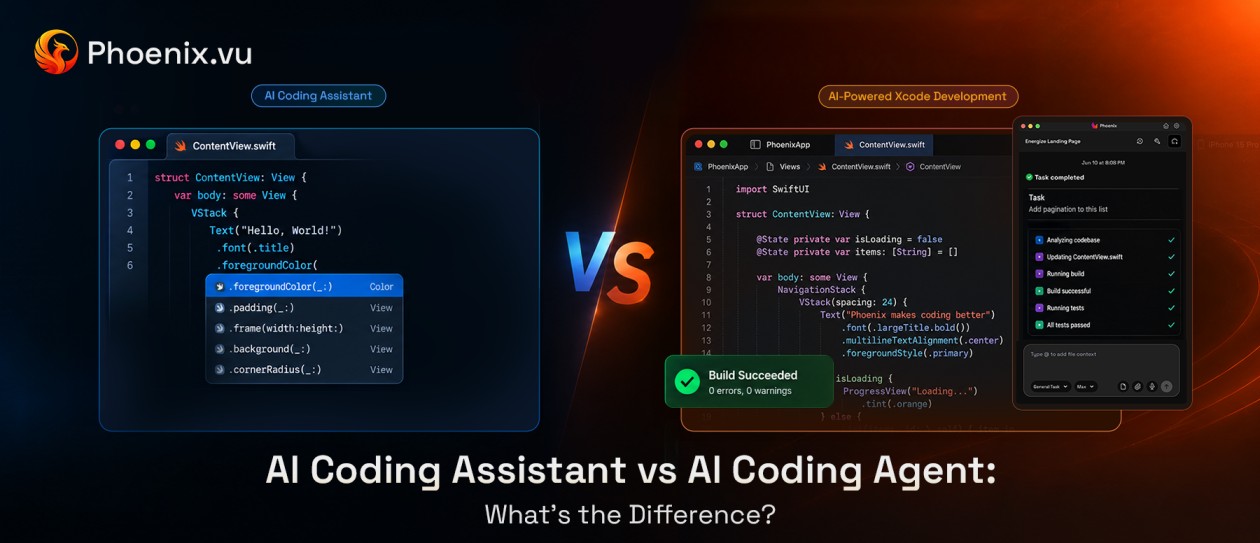
AI assistants
Inline completions and chat panels operate on a single-turn request-response cycle. They read whatever's in your current file or your open chat context and predict the next few lines, or answer one isolated question. Each interaction is self-contained; the tool has no ongoing memory of what it just did or whether it worked.
AI agents
Agents operate on a continuous, multi-turn execution loop. They're given a goal, a set of tools — a compiler, a terminal, a file system — and the autonomy to decide what to do next based on what actually happens when they act. They can run a build, read the failure, and try again, repeatedly, without a human re-prompting them at every step.
For a closer side-by-side of the two — interaction model, error handling, tool access, and which one to reach for — see AI Coding Agent vs AI Coding Assistant.
AI assistant vs. AI agent, at a glance
Architecture | AI Assistant | AI Agent |
|---|
| Interaction | Single-turn | Continuous, multi-turn |
| Context | Current file / open chat | Full task state across steps |
| Action | Suggests text | Executes tools directly |
| Recovery from errors | None — you fix it | Reads the error and retries itself |
03 How AI coding agents reason: the ReAct framework
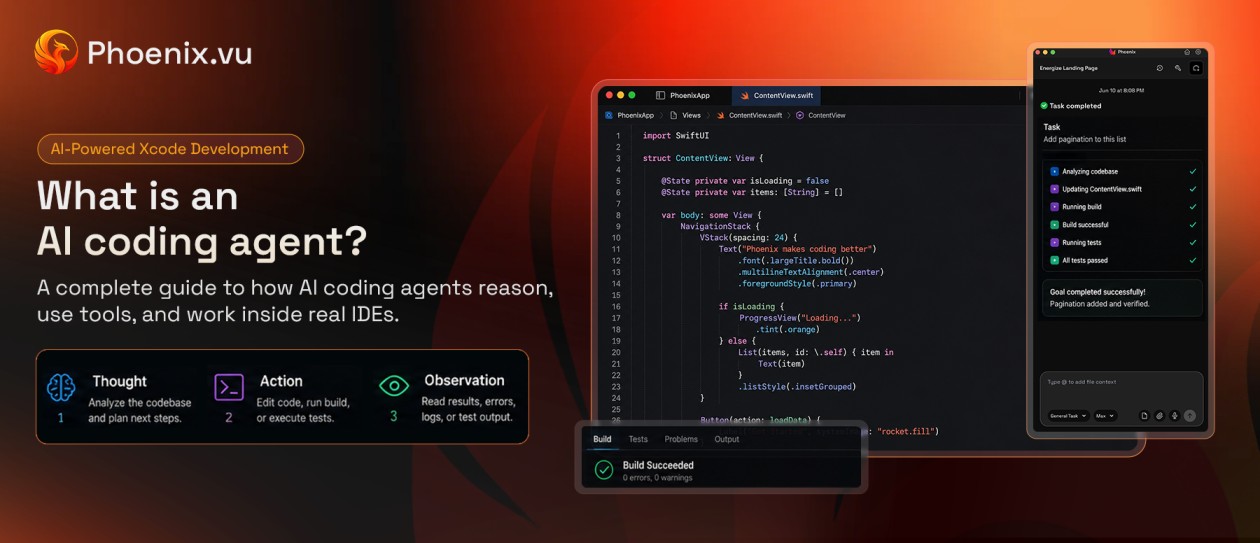
Most agentic coding tools are built on some variation of ReAct — short for Reason + Act — a loop that lets the underlying model break a complex task into smaller, checkable steps instead of trying to solve everything in one shot.
- Thought.The agent reasons about the request against the actual structure of the codebase — what files are involved, what already exists, what the change needs to touch.
- Action.It executes a concrete step through a tool: creating a file, editing a function, running a build or a test command.
- Observation.It reads back what actually happened — a compiler error, a failing test, a lint warning — as real, unambiguous feedback rather than a guess.
- Iteration.If the observation shows a problem, the agent returns to Thought with that new information and tries again. The loop repeats until the goal is met or the agent determines it needs human input.
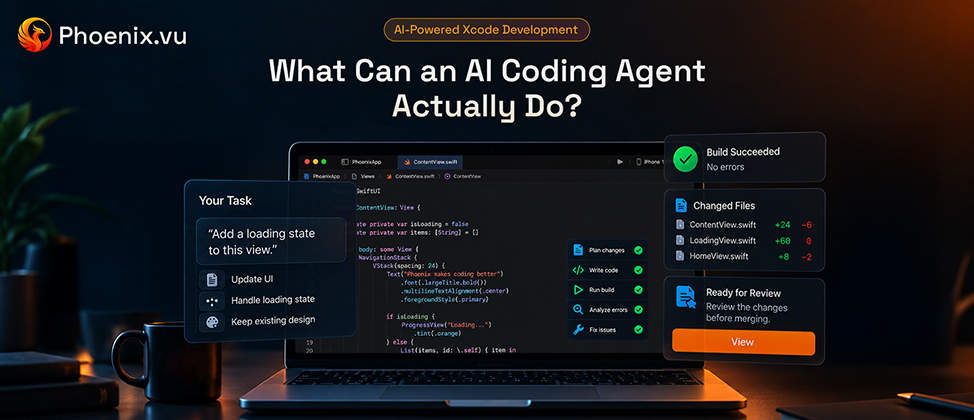
This is what makes an agent meaningfully different from a single smart autocomplete suggestion: it doesn't just generate code and hope. It checks its own work against reality and corrects course. What Can an AI Coding Agent Actually Do? maps that loop onto the task categories it handles dependably today.
The engineering underneath an agent
A ReAct loop is only as good as what feeds it. Three components do most of the real work.
Context engineering
An agent can't reason well about code it can't see accurately. Most agentic tools index the codebase using a combination of vector embeddings (for semantic, meaning-based search across the project) and structural parsers like tree-sitter (which build an actual syntax tree of the code, not just its text). Together, these let the agent pull the specific dependencies, protocol definitions, and data models a task actually needs into its working context — instead of guessing from whatever happens to be open.
Tool use (function calling)
The model itself doesn't have hands. It's granted explicit, defined permissions to call specific tools inside a sandboxed environment — typically terminal execution, version control operations, and file read/write APIs. Every action the agent takes is really a function call the model chose to make, with arguments it generated, inside boundaries someone else defined.
Static analysis integration
Compiler output alone is a coarse signal. Deeper agents integrate directly with the same language servers a human developer's editor already uses — for Swift, that's sourcekit-lsp — to get real-time type-checking, semantic diagnostics, and warnings as it works, not just a pass/fail from a full build.
Where coding agents actually run
"AI coding agent" isn't one architecture — it's a category with a few distinct shapes, and they trade off differently:
- IDE-embedded agentsrun inside your existing editor, alongside your normal workflow. You stay in the loop on every change as it happens.
- Terminal/CLI agentsoperate from the command line against your local repository, often used for scripted or repeatable tasks.
- Cloud or asynchronous agentsare handed a task and work independently in a remote environment — sometimes for minutes at a time — then surface the result, commonly as a pull request, for a human to review once it's done.
- Browser-based agentsoperate against a hosted environment entirely in the browser, with no local setup at all.
Each shape suits different work: synchronous, IDE-embedded agents fit tight edit-build-fix loops on code you're actively working in; async cloud agents fit longer-running or lower-priority tasks you're comfortable reviewing after the fact rather than watching happen.
04 Agents in native, platform-specific environments
Generic text-editor agents can get quite far with any mainstream web framework, because the build systems are simple and largely editor-agnostic. Native platforms are a different problem: they depend on platform-specific project formats, closed-source or specialized build tooling, and IDEs that weren't designed to be scripted by a third party. Building an agent that works inside one of these, rather than around it, takes real, platform-specific engineering.
Apple's ecosystem is a good concrete example. An Xcode project isn't just source files — it's an .xcodeproj structure, build targets, schemes, and a compiler toolchain that a general-purpose agent built for a text editor has no native way to reach.
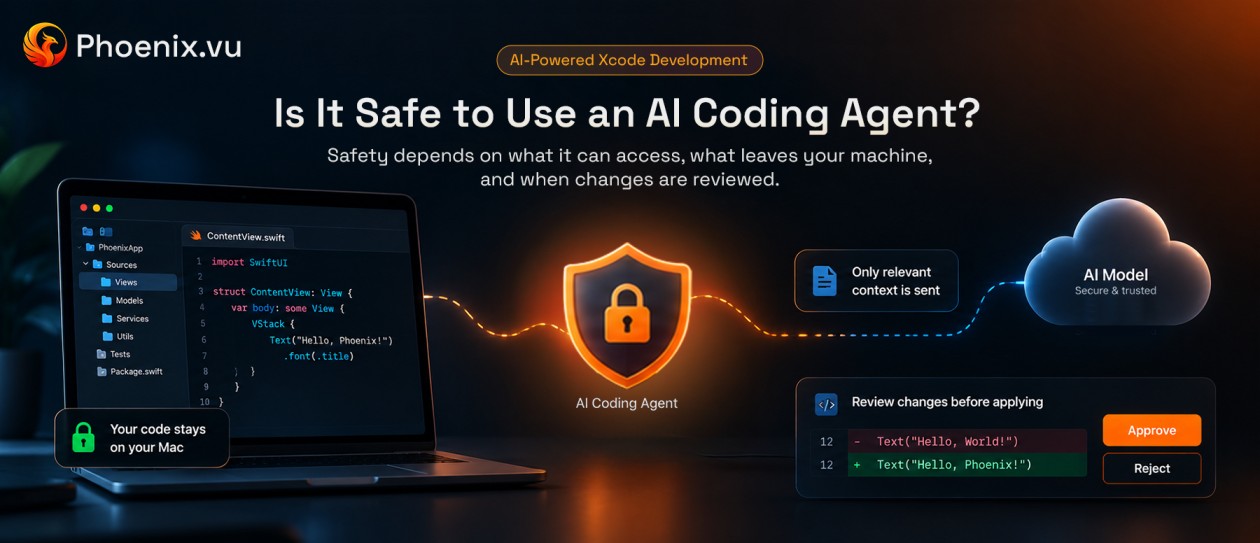
Phoenix.vu is one real implementation of this, built specifically for Xcode rather than adapted to it. When it's given a task — refactoring a SwiftUI view, say — it works against the actual project structure, runs the real Xcode build, and reads the compiler's own diagnostics rather than guessing whether generated Swift compiles. If the build fails, it repeats the fix-and-rebuild cycle on its own. The result isn't handed off as a pull request to review later — it's presented as a reviewable diff directly inside Xcode, for the developer to approve before anything is applied, with the source code itself staying local to the machine throughout. It's a useful illustration of what "context engineering" and "static analysis integration" mean in practice, once you leave a generic text editor for a real native toolchain.
05 What this means for developers
None of this removes the developer from the loop — it moves where their attention goes.
- From writing to system architecting.More time goes into defining clear constraints, data flows, and architectural boundaries up front — the input an agent's output quality actually depends on.
- From manual debugging to guardrail enforcement.Less time goes into fixing syntax errors by hand; more goes into reviewing what an agent changed, checking test coverage, and auditing for anything that shouldn't ship.
- Precision becomes the real skill.An agent's output is only as good as the clarity of the goal it was given. Vague prompts produce vague, often wrong, multi-step plans — the same way a vague spec produces a wrong feature from a human engineer.
06 FAQ
Is an AI coding agent going to replace developers?
Not the judgment part. Agents shift where developer time goes — toward architecture, review, and precise problem definition — rather than eliminating the need for it. The quality of an agent's output is still bounded by the quality of the goal and constraints a developer gives it.
What's the real difference between autocomplete and an agent?
Autocomplete predicts text. An agent pursues a goal: it can run code, read the result, and change its own next step based on what actually happened — autocomplete has no concept of "what happened after."
Do coding agents work without an internet connection?
Most current agents rely on a cloud-hosted model for reasoning, so they need a connection for that step, even when the code itself never leaves the local machine. Which parts of a task happen locally versus remotely varies by tool — worth checking directly for any agent before relying on it for sensitive codebases.
Is it safe to give an agent terminal and file-system access?
That access is exactly what makes an agent useful instead of just another chat window — but it's also exactly why sandboxing, explicit permissions, and a human review step before changes are applied all matter. Look at how a given tool scopes what it can touch, and what it shows you before it touches it.
A short glossary
- ReAct —the Reason + Act loop most coding agents use to plan, execute, and self-correct across multiple steps.
- Tree-sitter —a parser that builds a structural syntax tree of code, used for accurate, non-text-based code understanding.
- LSP (Language Server Protocol) —the standard interface editors use to get real-time type-checking and diagnostics from a language's tooling (sourcekit-lsp for Swift).
- Tool use / function calling —a model's ability to invoke a defined external action (running a command, editing a file) rather than only generating text.
- Context window —the amount of information a model can consider at once when reasoning about a task.
- Sandbox —an isolated environment where an agent's actions are contained and permissioned, rather than run directly against a live system.
The takeaway
An AI coding agent isn't defined by how good its code suggestions look — it's defined by whether it can pursue a goal across multiple steps, check its own work against real feedback, and correct course without being asked again. That loop, and the engineering that supports it, is what separates an agent from a smarter autocomplete box — in a generic text editor, and even more so inside a native toolchain like Xcode's.