Cursor became the default answer to "best AI coding agent" by rebuilding the editor. For Swift and iOS developers, that's the wrong layer to rebuild — Xcode's project format, build system, and App Store rules aren't optional. Phoenix.vu takes the other approach: a native macOS agent that runs next to Xcode instead of replacing it.
01 The actual problem
Cursor is great at code — but not at Xcode
Cursor doesn't natively understand Xcode projects. While it's an excellent AI-powered editor built on VS Code, Apple projects depend on more than Swift files — they include build settings, targets, schemes, asset catalogs, entitlements, and signing configuration stored in the Xcode project. Cursor can edit these files, but it doesn't understand them with the same project-level awareness as Xcode.
A common workflow pairs Cursor with tools like Sweetpad for SourceKit-LSP integration while still relying on Xcode or xcodebuild for building, debugging, signing, and running the simulator. Without direct build integration, Cursor has limited awareness of the project's current build state.
Phoenix.vu starts from the opposite premise: it doesn't replace Xcode. It works alongside it, understands the same project, and drives xcodebuild directly, giving the AI access to real build results instead of only the source code.
02 Architecture
A companion window, not a second IDE
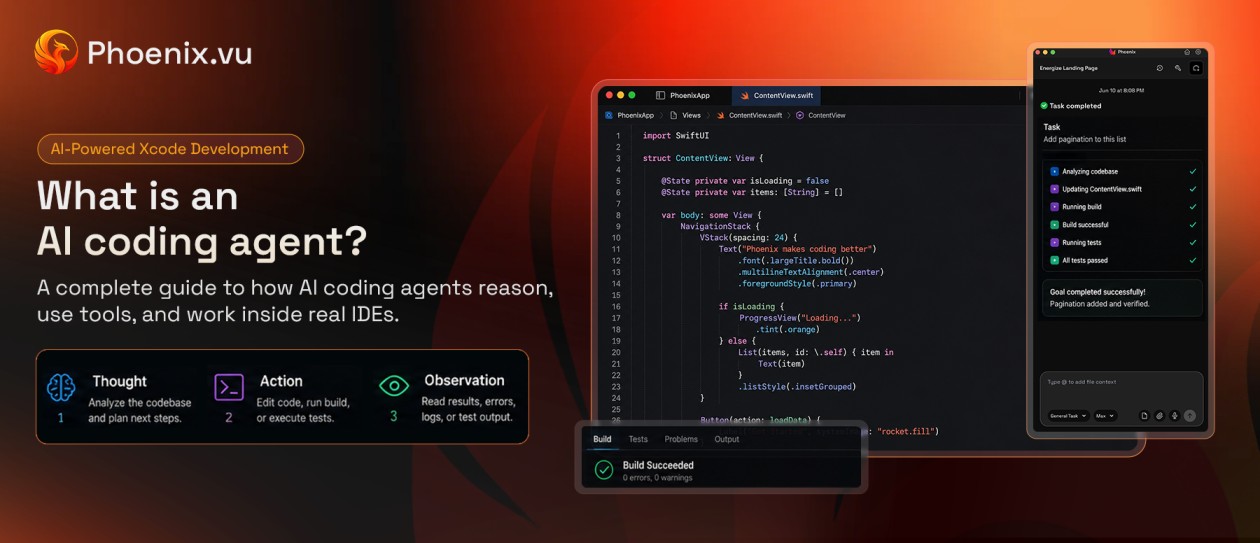
Phoenix.vu is a native SwiftUI/AppKit app — not Electron — and deliberately isn't a text editor. It opens as a fixed-width, non-activating panel that docks beside Xcode's window rather than stealing focus, so your cursor stays in Xcode. The agent handles everything around the keystrokes: reading the project, running builds, explaining diffs, and running iOS-specific checks. No second IDE to keep in sync, no extension bridging a language server Xcode already ships, and no ambiguity about who owns build-and-run — Xcode always does.
03 Build & code understanding
It reads the build, not just the text
run_build calls xcodebuild directly, resolves the scheme automatically, and parses the resulting .xcresult bundle into structured diagnostics — a failure comes back as "line 42, cannot find type X," not raw shell output the model has to guess at.
Code understanding follows the same logic: instead of generic text embeddings, Phoenix.vu parses the project with SwiftSyntax and cross-references it with SourceKit's own semantic analysis — the same tooling Xcode itself is built on.
Task-aware routing
"What does @MainActor do?" gets a prose answer with read-only tools; "add a retry to this request" runs the full file-editing agent. No write-approval friction for a question.
Full tool surface
read_file, search_code, glob_files, create_file, write_file, delete_file, run_terminal, run_build — small and auditable, not an open shell.
04 What no general agent has
Specialised tools built on Apple's actual rulebooks
A general-purpose agent can't match this by being prompted harder. Cursor will answer "does my app comply with Apple's privacy manifest rules?" fluently — and unreliably, since it has no real access to Apple's rulebook. Phoenix.vu gives the model that rulebook and blocks anything it doesn't recognize.
Every value is a closed enum from Apple's own catalog — the model can't invent one Apple doesn't define.
scan evidence → judge (cited) → validate → write
Memory Diagnostics — retain-cycle detection
Parses source into a real Swift ownership graph, states whether each object reaches deinit. Disputed findings move to a visible "ruled out" list, never silently dropped.
ownership graph → detect → explain + fix
App Review Checker — guideline-cited findings
Reads the merged Info.plist (including INFOPLIST_KEY_* build settings), entitlements, and asset catalog. Cites the exact guideline number and names who can fix it.
build inputs → rules → judge + assign owner
HIG Analyzer — interface guideline audit
Resolves whole SwiftUI control regions, not single lines. Cites the HIG chapter and runs on your own configured model.
resolve controls → checks → judge on your model
It's a local, deterministic scan first; the model only judges evidence it's shown, and citations are checked against what the scanner found. A finding that's already certain never reaches the model at all.
05 Security posture
An agent with terminal access needs an actual threat model
Cursor's cloud agents run on Cursor's own infrastructure — code and context leave your laptop as a matter of course. Phoenix.vu runs locally under one hard rule: only your typed messages can direct it. Everything else — files, tool output, build logs, even text pulled from a screenshot — is data, never instructions.
Only you (your typed messages) and the app's own system rules can direct the agent. Everything else — file contents, tool output, images, documents, build logs, prior turns — is treated as untrusted data, never as instructions.
Commands are classified, not trusted.Hard-block / approval / auto-allow. Privilege escalation and force-push never run; everything else needs your yes, with a reason shown.
Chaining can't hide a second command.Pipes, &&, subshells, even embedded newlines force full approval.
Secrets never reach a model..env, private keys, and GoogleService-Info.plist are withheld entirely; anything token-like is masked before it leaves the machine.
Every mutation is a snapshot.Writes are reversible; deletions and build-file changes need approval; a runaway-edit breaker pauses large unsupervised changes.
Nothing leaks through logs.Verbose logging compiles out of release builds; the log viewer strips the system prompt and masks secrets.
Phoenix.vu runs outside Apple's App Sandbox, since reading arbitrary Xcode projects and spawning xcodebuild can't work inside one — a documented trade-off, compensated by the controls above.
06 Models & cost
Pay only for what you use
Cursor revolves around monthly plans with included usage limits and overage pricing.
Phoenix.vu uses a straightforward prepaid credit system. Add credits whenever you need them and spend them only when you run AI tasks. Whether you're making a few fixes or working through a large refactor, you pay for actual usage — not a recurring subscription.
Head-to-head: feature by feature
Relationship to Xcode
Capability
Phoenix.vu
Cursor
Editor role
Companion — Xcode stays the editor of record
Replacement — full editor swap
.xcodeproj / .xcassets awareness
Native
Unsupported
Build execution
Direct — xcodebuild via a dedicated runner
Indirect — terminal only, no result parsing
Build result understanding
Structured — parses .xcresult, cited
None — no "build awareness"
Swift/iOS setup
Built-in
Third-party (e.g. Sweetpad)
Apple-specific tooling
Capability
Phoenix.vu
Cursor
Privacy Manifest generator
Yes — closed vocabulary, cited
No
Retain-cycle / memory diagnostics
Yes — real ownership graph
No
App Store Review Guideline checker
Yes — cites guideline number
No
Human Interface Guidelines audit
Yes — cites HIG chapter
No
Agent & models
Capability
Phoenix.vu
Cursor
Where the agent runs
Local
Local + cloud
Model choice
Bring your own — Claude, DeepSeek, Kimi, OpenAI-compatible
Multi-model — Claude, GPT, Gemini
Terminal command safety
Classified + gated, anti-chaining
Agent-run, no Apple-specific gate
Secret redaction before egress
Yes
Not documented
Parallel agents on isolated branches
No
Yes — up to 8
Pricing model
Pay-as-you-go credit top-up
Credit pool — $20–$200/mo
Everyday extras
Capability
Phoenix.vu
Cursor
Inline diff explanations
Yes
Yes
Voice dictation
Yes
No
Build performance analysis
Yes
No
Language breadth
Swift-focused
Any language
Inline tab-completion
None — by design
Core strength
Cursor figures reflect publicly reported pricing, documentation, and developer accounts as of mid-2026.
07 Where Cursor still wins
Choose Cursor when:
Your work spans many languages and Xcode isn't the center of it.
You want mature, years-tuned inline tab-completion.
You need several agents running in parallel on isolated branches.
You want an agent that drives a real browser for end-to-end testing.
Choose Phoenix.vu when:
Xcode is your build system of record and you don't want to leave it.
You need App Store compliance, memory safety, and HIG checks grounded in Apple's rules.
Code and secrets need to stay on your machine, under a documented threat model.
You want your own model provider instead of a metered credit pool.
08 Verdict
Cursor rebuilt the editor. Xcode didn't need a new one.
Cursor's bet is that a better editor beats every IDE, in every language — and for most stacks, it has. But Swift development was never really an editor problem; it's a build-system, project-format, and App Store compliance problem wearing an editor's clothes. That's the layer Cursor has no native access to, and the layer Phoenix.vu was built around: a native, security-scoped agent that reads the real build, cites Apple's real rules, and asks before it touches anything that matters — next to Xcode, not instead of it.
09 FAQ
What's the best Cursor for Xcode in 2026?
Xcode's built-in Intelligence and agent modes are the default starting point. For an autonomous agent that owns the build-fix loop with local code storage, project memory, and no subscription, Phoenix.vu is purpose-built for it.
How is Phoenix.vu different from Cursor?
Phoenix.vu is built specifically for Swift and Xcode, while Cursor is a general-purpose AI code editor. Instead of replacing your IDE, Phoenix.vu enhances the existing Xcode workflow with AI that's aware of Apple's development ecosystem.
Does Phoenix.vu work inside Xcode?
Phoenix.vu works alongside Xcode as a native macOS companion app rather than replacing it or running as an extension. You continue coding in Xcode while Phoenix.vu reads your project, runs builds, analyzes errors, and performs AI-powered Swift and iOS development tasks. This lets you keep your existing Xcode workflow while adding Apple-focused AI assistance.