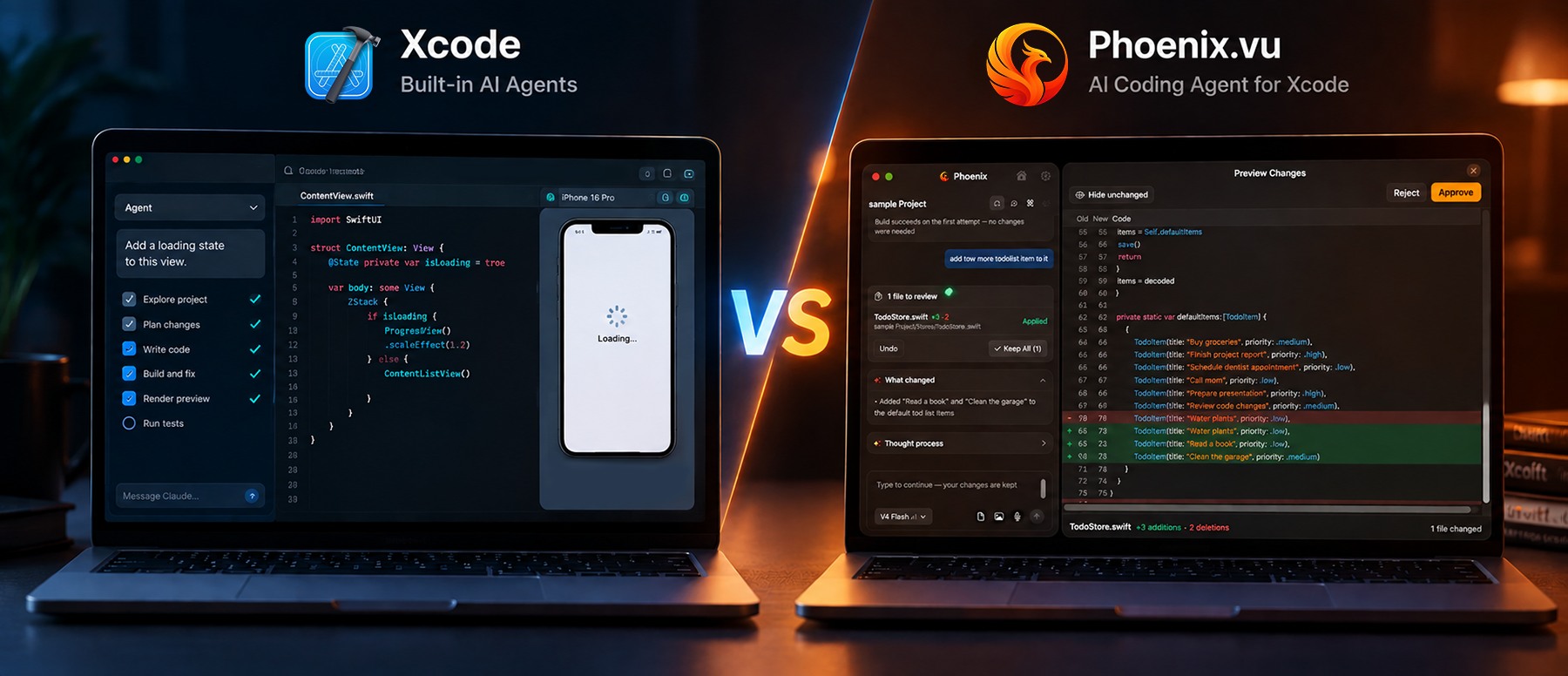
For most of the last two years, "AI in Xcode" meant a plugin, a sidebar, or copying code out of a browser tab and hoping it compiled. That changed in 2026. Xcode 26.3 shipped with Anthropic's Claude Agent and OpenAI's Codex built in. A few months later, Xcode 27 added plan mode, preview rendering, test runs and parallel sub-agents on top.
So if you build for Apple platforms, a fair question is: if Xcode already has agents, why would you use anything else?
We build Phoenix.vu, an AI coding agent for Xcode, so we have an obvious interest in the answer. We'll still try to make this useful. This post covers what Xcode's built-in agents do, what Phoenix.vu does, where each one is the better fit, and how to decide in a few minutes.
01 The short answer
Use Xcode's built-in agents if you already pay for Claude or ChatGPT, you're on the latest Xcode, and you want the tightest possible link to previews, tests and Apple's documentation.
Use Phoenix.vu if you'd rather pay per task than hold another subscription, you want every change shown as a diff you approve before it touches your files, or you want safeguards like file snapshots and secret redaction switched on by default.
Many developers will end up using both, for different kinds of work. We'll show how that looks near the end.
02 What Xcode's built-in agents can do in 2026
Apple's move happened in two steps.
Xcode 26.3 (February 2026) added two built-in coding agents: Claude Agent from Anthropic and Codex from OpenAI. According to Apple's announcement, they can search documentation, explore file structures, update project settings, and check their own work by capturing Xcode Previews and iterating through builds and fixes. The same release exposed Xcode's tools through the Model Context Protocol (MCP), so agents you run outside Xcode, like Claude Code or the Codex CLI, can build your project too.
Xcode 27 (WWDC 2026) went further. In the session "Xcode, agents, and you", Apple showed agents that can:
- Explore a project and write an architecture walkthrough with code references
- Plan before coding, using a /plan mode you approve before any file changes
- Build, read errors and fix them in a loop until the build passes
- Render SwiftUI previews on simulators and devices to check their own UI work
- Write unit tests, run the whole suite and report results
- Take image attachments, like a sketch of a screen, and turn them into code
- Split large jobs across parallel sub-agents, for example translating an app or adding VoiceOver labels
- Search Apple's own documentation as they work
The practical details
- How you pay for it.You enable agents in Xcode > Settings > Intelligence and sign in with your account at the provider. ChatGPT in Xcode works with a free or paid ChatGPT account. Claude Agent and Codex use your Anthropic or OpenAI account, and usage limits follow your plan there. You can also add other providers that support the Chat Completions API, including models hosted locally on your Mac.
- How you stay in control.Changes appear in an artifacts pane with change bars. You can undo a response, or use a History slider to roll the project back prompt by prompt. That History feature needs a Git repository. Agents also ask permission before running command-line tools.
This is a strong set of features, and it ships with Xcode itself. Any tool that works with Xcode now has to justify itself against it. Phoenix.vu included.
03 What Phoenix.vu does
Phoenix.vu is an AI coding agent that works side by side with Xcode. You describe a change in plain English. Phoenix writes the Swift, runs the build, reads the errors, fixes them and keeps going until the build passes. Then it shows you exactly what changed.
Four things shape how it works:
- Diff-first by default.Every change appears as a visual diff before it's applied. You approve it, reject it, or undo it later with one click. Nothing lands in your files without your say-so.
- Layered safety.Phoenix takes a snapshot of each file before writing to it, redacts secrets like API keys, and sanitizes build diagnostics so logs don't leak sensitive values.
- Project-aware memory.Phoenix remembers your project's context and past decisions across sessions, so you don't re-explain your architecture every morning.
- Where your code goes.Your project stays on your Mac. For each request, Phoenix sends only the context that task needs to its AI model providers, which its privacy policy lists as Anthropic (Claude), DeepSeek and Kimi (Moonshot AI). Those providers process the request and don't retain your code beyond it. Phoenix itself stores no source code or conversation history on its servers.
How you pay. There's no subscription. Pricing is pay-as-you-go: $1 buys 100 credits, top-ups start at $10, and credits never expire. You see the cost of each task before and after it runs. New accounts get 500 free credits, and there's a 14-day refund if it isn't for you.
The table below compares the two on the points developers ask about most. It's based on Apple's documentation and Phoenix.vu's product pages as of September 2026.
Side-by-side comparison
Xcode built-in agents vs Phoenix.vu | Xcode built-in agents | Phoenix.vu |
|---|
| Where it runs | Inside Xcode's coding assistant | Side by side with Xcode |
| Models | Claude Agent, Codex, ChatGPT, Claude chat, other providers, local models | Claude, GPT (OpenAI), DeepSeek, Kimi, GLM (Z.ai), Qwen and Gemma through one account |
| How you pay | Your plan with each provider | Pay per task with credits; no subscription |
| Reviewing changes | Artifacts pane with change bars; plan mode for agents; optional proposal mode for chat models | Visual diff for every change; approve or reject before it's applied |
| Rolling back | Undo per response; History slider (needs a Git repo) | Snapshot before every file write; one-click undo |
| Build-and-fix loop | Yes | Yes |
| Previews and tests | Renders SwiftUI previews and runs tests (Xcode 27) | Runs builds and reads the errors |
| Secrets and logs | Depends on the provider you enable | Automatic secret redaction and sanitized diagnostics |
| Memory across sessions | Configuration files like AGENTS.md or CLAUDE.md that you maintain | Built-in project memory of context and past decisions |
| Getting started | Settings > Intelligence, then sign in to each provider | Download the Mac app, sign up, 500 free credits |
| Requirements | Xcode 26.3 or later (Xcode 27 for the newest features) | macOS 26+, plus Xcode for building your project |
Neither column wins every row. That's the point: they're built around different priorities.
04 When Xcode's built-in agents are the better choice
We'd rather you pick the right tool than the one we sell. Here's where Apple's agents have a clear edge.
- You already pay for Claude or ChatGPT.If you have a Claude or ChatGPT plan you use every day, the built-in agents add no new bill. For a developer who codes with AI all day, a flat subscription can work out cheaper than paying per task.
- Your work is mostly SwiftUI and visual.Xcode 27 agents can render previews on a simulator or device, look at the result and adjust. You can hand them a sketch of a screen and iterate from there. For design-heavy work where you judge the output by eye, that loop is hard to beat.
- You want tests written and run in the same loop.Xcode's agents can write unit tests, run the full suite and read the results without leaving the IDE. If test coverage is your main goal this week, start there.
- You're localizing or adding accessibility at scale.Apple demonstrated agents splitting work across parallel sub-agents to translate every string in an app or add VoiceOver labels throughout. These are big, repetitive jobs where Apple's own tools have a head start.
- You want Apple's documentation in the loop.Built-in agents can search Apple's documentation directly, which helps with newer APIs that models may not know well yet.
- You're on the latest Xcode and like to stay there.Most of the features above arrived in Xcode 27. If your team upgrades on day one, you'll get them first.
05 When Phoenix.vu is the better choice
Phoenix.vu was built for a different set of priorities: cost you control, changes you approve, and safety you don't have to set up.
- You don't want another subscription.Plenty of developers don't code with AI eight hours a day. Freelancers, indie developers and small teams often have busy weeks followed by quiet ones. With Phoenix you top up when you need to, starting at $10 for 1,000 credits. Credits never expire, so a quiet month costs nothing. Because you see each task's cost before and after it runs, you always know what a fix or a feature cost you.
- You want to approve every change before it lands.With Phoenix, the diff comes first. Each change is shown before it's applied, and you accept or reject it. That's the default, not a setting you have to remember to turn on. Phoenix also snapshots every file before writing to it, so one-click undo works whether or not your project uses Git. If you've ever had an AI tool quietly rewrite a file you didn't ask it to touch, you'll see why this matters.
- You're careful about secrets and logs.Real projects have API keys in config files and tokens in build output. Phoenix redacts secrets and sanitizes diagnostics as part of how it works. With built-in agents, what gets shared depends on which provider you've enabled and its policies, which you'll need to check yourself.
- You want several models without several accounts.Phoenix gives you access to models from Anthropic, DeepSeek and Kimi through one balance. The five performance modes let you match the effort to the job, from Quick and Turbo for small edits to Deep Think and Expert for harder problems. You don't sign in to three providers or track three sets of limits.
- You want context that carries over.Phoenix remembers your project's structure and the decisions you've made across sessions. You can get similar results with built-in agents by writing and maintaining AGENTS.md or CLAUDE.md files. Phoenix just does it for you.
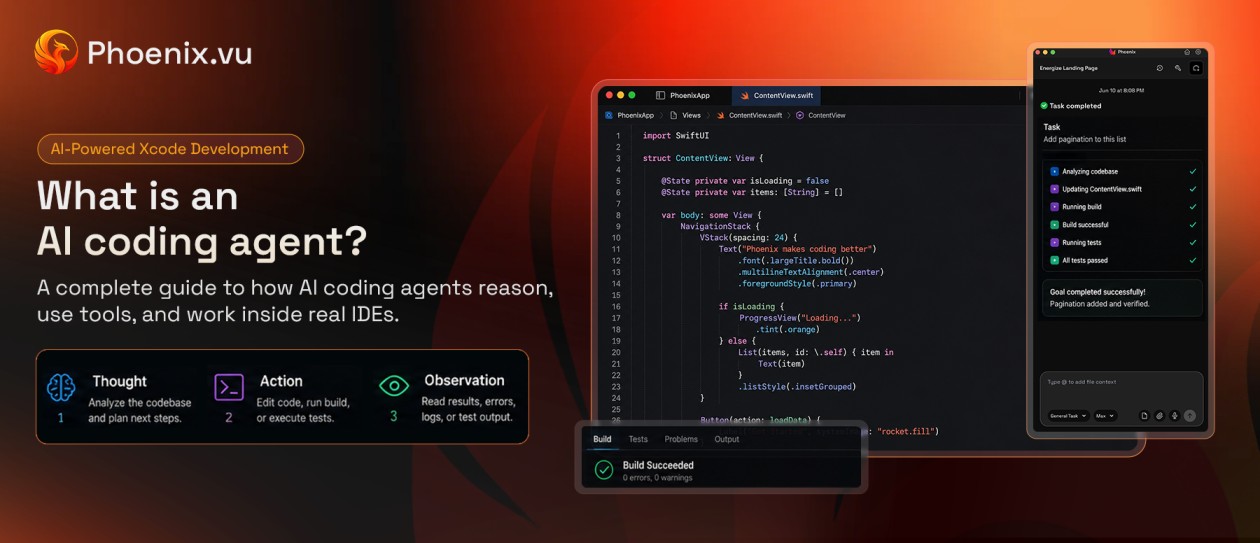
- Your build is broken and you want it green.Phoenix's core loop is simple: make the change, build, read the errors, fix, repeat, then show you the diff. It monitors builds in real time while it works. For the everyday job of "make this compile and work," that loop is what you’re paying for.
- You're moving on from Alex Sidebar.Alex Sidebar's team joined OpenAI and downloads have stopped. If you liked a dedicated Xcode companion but not a monthly plan (Alex Pro was $30 a month), Phoenix is a close fit. See our Alex Sidebar alternative guide.
06 Can you use both?
Yes, and for many developers that's the practical answer. One split that makes sense:
- Xcode's built-in agentfor preview-driven UI work, writing and running tests, and large localization or accessibility passes.
- Phoenix.vufor fixing broken builds, multi-file refactors where you want to review every diff, and work you'd rather not spend your subscription limits on.
One tip if you do this: don’t point two agents at the same files at the same time. Finish a task with one, commit, then switch. Your Git history stays readable, and each tool sees a clean starting point.
07 How to decide in five questions
If you're still unsure, answer these:
- Do you already pay for Claude or ChatGPT and use it daily?If yes, try the built-in agents first. You've already paid for them.
- Is your AI usage steady or uneven?Steady, heavy use suits a subscription. Bursty use (a big push, then weeks of little) suits pay-per-task.
- How much do you want to review?If you want to approve every change as a diff before it’s applied, Phoenix does that by default.
- Is the work visual or structural?For UI you judge by eye, Xcode's preview loop is the stronger fit. For build errors, refactors and wiring code together, Phoenix's build-fix-diff loop fits well.
- How sensitive is the codebase?If secrets and logs are a concern, look at Phoenix's redaction and snapshots. Otherwise, check the data policy of whichever provider you enable in Xcode.
There’s no wrong answer here. The cost of trying either is low: built-in agents ship with Xcode, and Phoenix starts you with 500 free credits.
08 Common questions
Is Phoenix.vu a replacement for Xcode?
No. Phoenix works side by side with Xcode. You keep your project, your build settings and your normal workflow.
Do Xcode's built-in agents cost money?
The agents ship with Xcode, but they run on your account with the provider. ChatGPT in Xcode works with a free or paid ChatGPT account. Claude Agent and Codex use your Anthropic or OpenAI account, and usage limits follow your plan.
Is my code sent to the cloud?
Every cloud-based AI agent sends some code to a model to do its job. The question is how much, and what happens to it. With Xcode's built-in agents, the provider you enable may access your project files, under that provider's policy. With Phoenix, your project stays on your Mac. Only the context needed for each request is sent, providers don't retain it, and Phoenix stores no source code on its servers. For a deeper look, read Is It Safe to Use an AI Coding Agent?
Can I use Claude Code or Codex with Xcode instead?
Yes. Turn on "Allow external agents to use Xcode tools" in Xcode's Intelligence settings, then connect the agent through Xcode's MCP server. For Claude Code the command is claude mcp add --transport stdio xcode -- xcrun mcpbridge.
Which is better if I'm new to AI coding?
If you already have a ChatGPT or Claude account, the built-in agents are the quickest start. If you don't, Phoenix's setup guide walks you from sign-up to your first change, and the free credits cover your first tasks.