Capabilities

What Phoenix.vu Can Do

Phoenix.vu is an AI coding agent for Xcode. It understands your code, writes Swift, fixes builds, and shows every change as a diff.

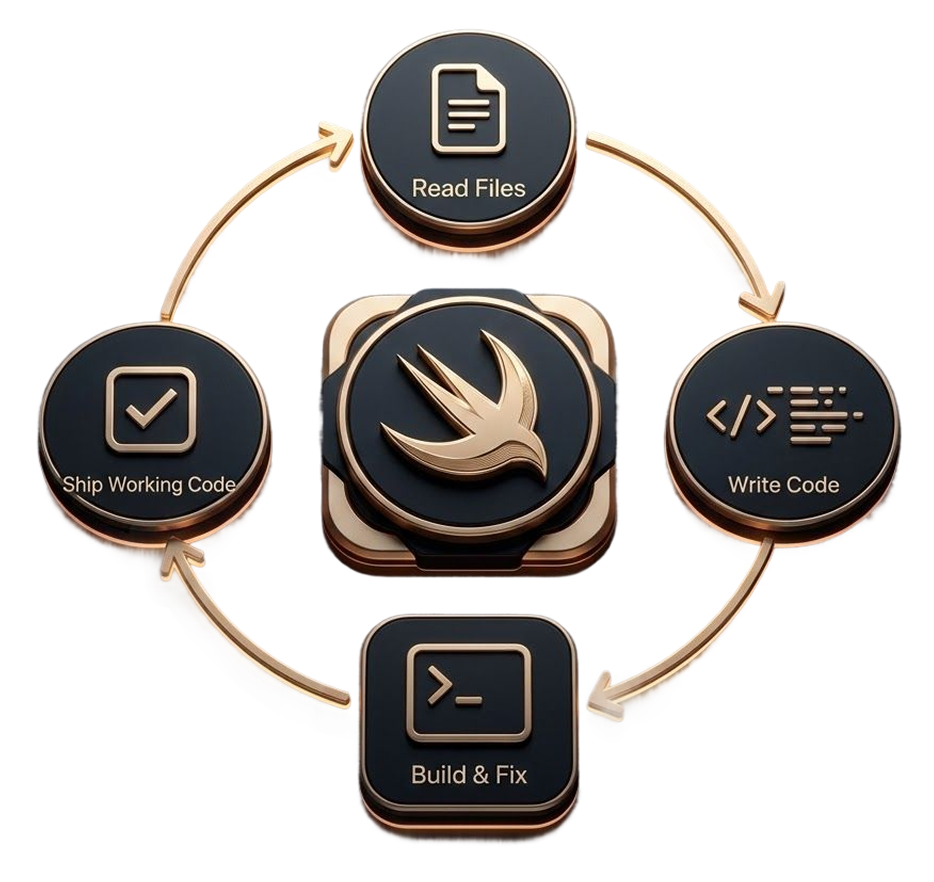
Autonomous agent workflow diagram

Autonomous Agent Loop

Describe a feature in plain English. As a Swift AI code generator, Phoenix.vu handles the rest — from reading your files to shipping working code, fixing Xcode build errors automatically along the way.

  • Understands Requirements
  • Executes Multi-Step Tasks
  • Validates Every Change
  • Delivers Working Results
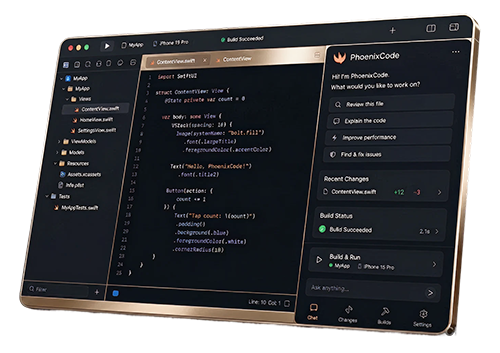
Xcode sidebar integration illustration

Side-by-Side with Xcode

As your Xcode AI assistant, Phoenix.vu runs as a persistent sidebar — no separate app, no copy-pasting, no broken flow. Chat, review diffs, approve changes, and watch builds all from one place.

  • Chat Without Context Switching
  • Review Visual Diffs Instantly
  • Approve Changes in One Click
  • Monitor Builds in Real Time
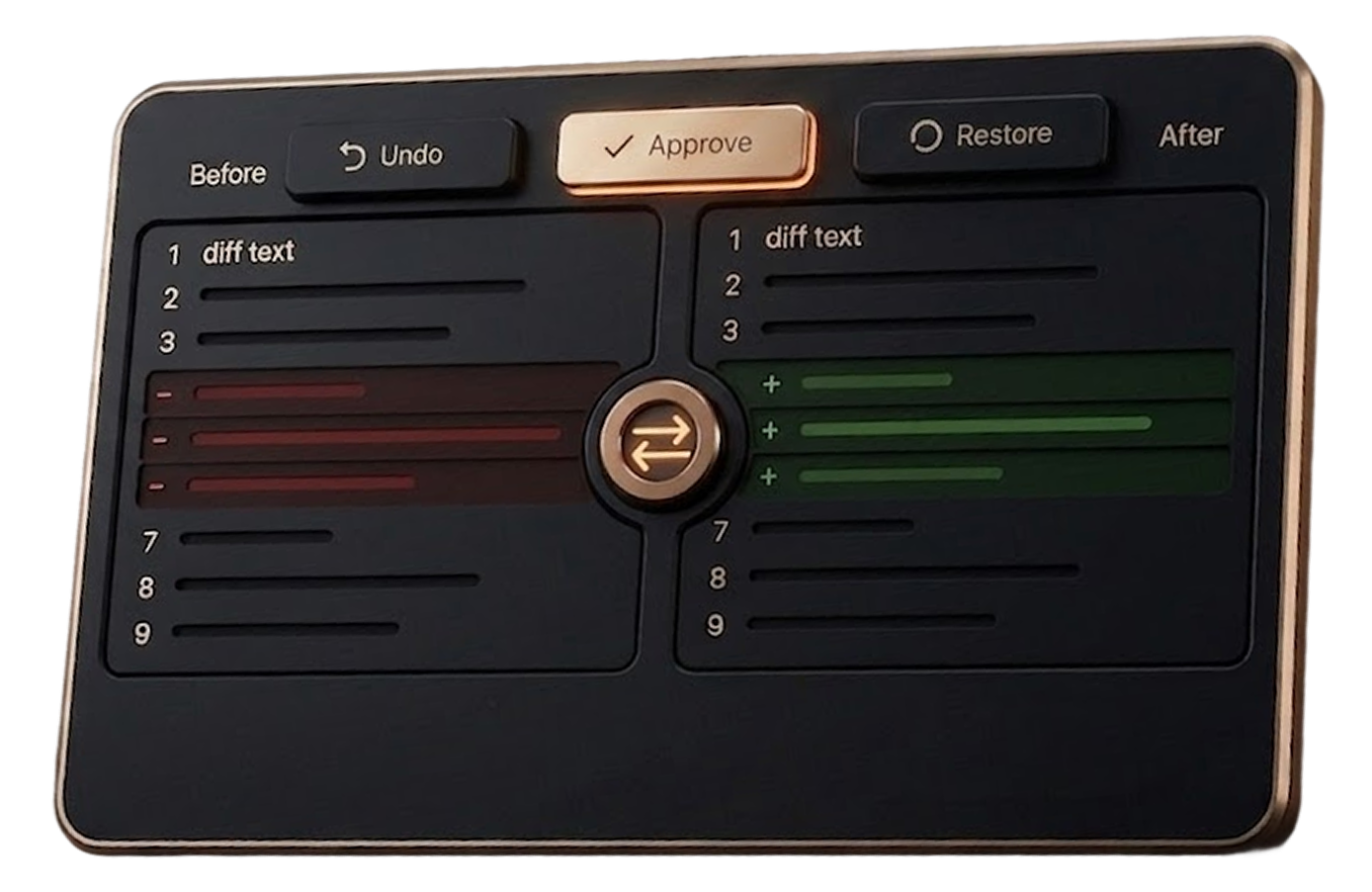
Human-in-the-loop diff workflow

Human-in-the-Loop Diffs

Get AI code review for Swift on every change, shown as a visual diff before it touches your codebase. Approve, undo, or restore a checkpoint with one click — safe experimentation, always.

  • Preview Every Change
  • Approve Before Applying
  • Undo with One Click
  • Reject Unwanted Changes
Project memory storage illustration

Project-Aware Memory

Every conversation is stored locally and tied to its project. Reopen a project weeks later and Phoenix.vu already knows your architecture, patterns, and decisions — no re-explaining.

  • Remembers Project Context
  • Preserves Development History
  • Continues Across Sessions
  • Understands Past Decisions
Layered security icons

Layered Security

Multiple layers of protection keep your code, data, and workflows secure while Phoenix.vu works through changes. Every action is controlled, reversible, and built with production-grade safety in mind.

  • File snapshots before writes
  • Secret redaction
  • Sanitized diagnostics
  • Production-grade safety
Performance modes stack illustration

Performance Modes for Every Task

Different problems require different levels of reasoning. Phoenix.vu automatically balances performance, speed, and cost to deliver the best results for every stage of development.

  • Expert - Maximum Reasoning
  • Deep Think - Advanced Analysis
  • Builder - Balanced Development
  • Quick - Fast Responses
  • Turbo - Lowest Cost Iterations

Features

Phoenix checks your app before Apple does

Phoenix runs these checks on your project, right on your Mac, and tells you exactly what your app needs, with the file and line for each issue. It can fix what it finds once you approve.

App Review Checker

Catch App Store rejection risks before you submit, with the guideline number for each.

Privacy Manifest Generator

Create and maintain PrivacyInfo.xcprivacy from evidence in your code.

Memory Diagnostics

Find retain cycles and leaks in Swift, and prove them with generated tests.

HIG Analyzer

Check your interface against Apple's Human Interface Guidelines and accessibility basics.

Build Performance

Find out what's slowing your Xcode builds, and how to fix it.

App Information

Get a clear briefing on any unfamiliar iOS project in minutes.

App Store Screenshots

Turn your real app screens into App Store screenshots at Apple's exact sizes.

AI-Powered Xcode Development

Stop Copy-Pasting Between Xcode and AI

Phoenix.vu is the AI for Xcode, built directly into your workflow.