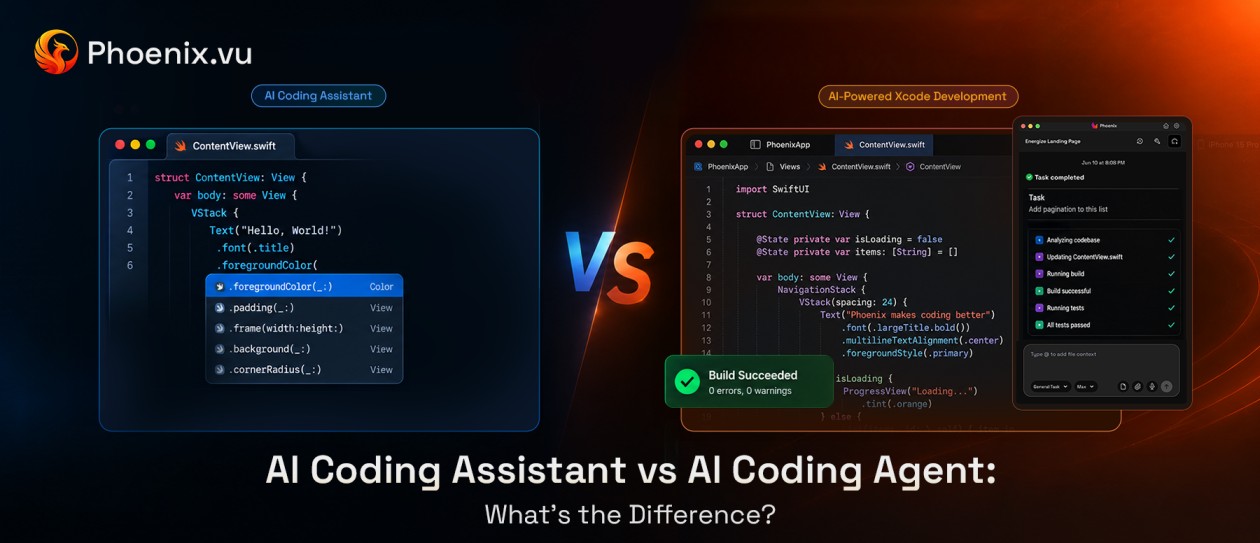
"AI coding agent" and "AI coding assistant" get used interchangeably in a lot of product marketing, which is exactly why the distinction is worth being precise about. They're not two marketing names for the same thing — they're two different architectures, with different levels of autonomy, different failure modes, and different amounts of trust you're extending to a system working in your codebase.
Here's what actually separates them, where each one fits, and how to tell which one a tool really is, regardless of what it calls itself.
01 The short answer
An AI coding assistant suggests. It predicts the next few lines of code or answers a question, and stops — you decide what happens next, every time. An AI coding agent pursues a goal. Given a task, it plans the steps, executes them, checks the result, and keeps going on its own until the goal is met or it needs you.
Same underlying model technology, in many cases. Fundamentally different job.
02 The core distinction: who's driving
The cleanest way to tell the two apart isn't how smart the suggestions are — it's who is making the next decision.
With an assistant, you are, every single time. You read the suggestion, you accept or reject it, you decide what to try next. The assistant has no opinion about what happens after it responds.
With an agent, the tool is — within boundaries you set. You give it a goal once, and it decides the sequence of actions needed to get there, including what to do when the first attempt doesn't work.
That's not a difference in intelligence. A very capable assistant can write better code, line for line, than a mediocre agent. The difference is architectural: one operates in single steps, the other operates in a loop.
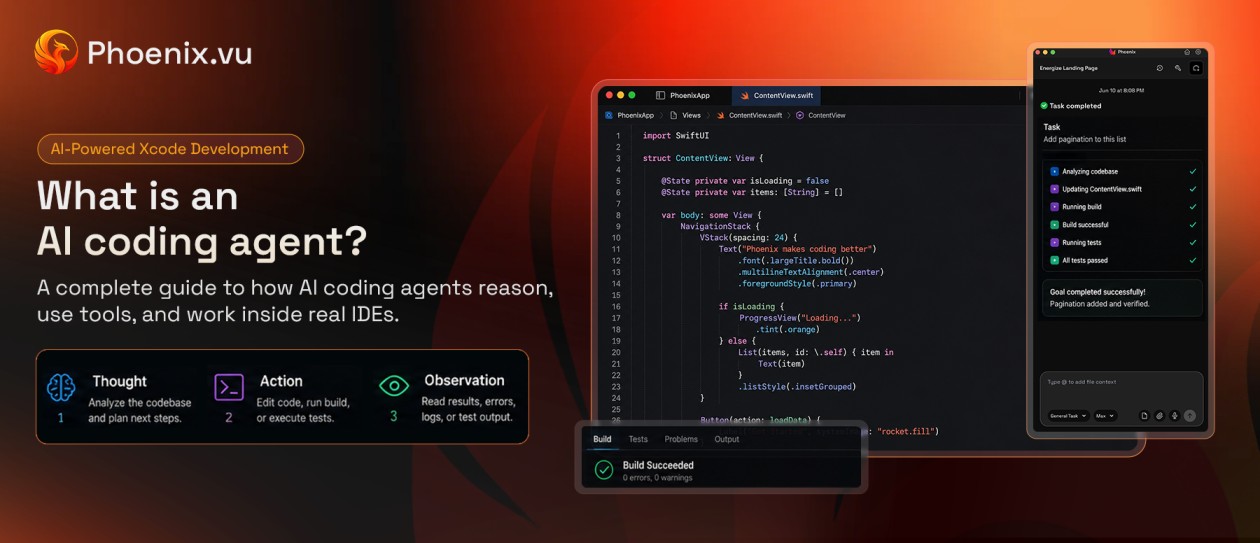
That loop — plan, act, read the real result, adjust — is the ReAct pattern most agentic tools are built on. What Is an AI Coding Agent? walks through it step by step, along with the context engineering and tool access that make it work.
Side-by-side comparison
Assistant vs. agent | AI Coding Assistant | AI Coding Agent |
|---|
| Interaction model | Single-turn: you ask or type, it responds | Multi-turn: it pursues a goal across many steps |
| Who decides the next step | You, every time | The agent, within set boundaries |
| Error handling | None — you notice and fix problems yourself | Reads the failure and retries automatically |
| System access | Usually read-only context (your open file, your prompt) | Often has real tool access — terminal, file system, build commands |
| Typical output | A suggestion or an answer | A completed change, ready for review |
| Best for | Quick suggestions, isolated questions, small edits | Multi-step tasks: a feature, a bug fix, a refactor |
| Example pattern | Inline completion, a chat panel answering one question at a time | A described task that gets planned, executed, tested, and fixed autonomously |
What an assistant looks like in practice
You're mid-function, and a suggestion appears for the next line — that's the pattern nearly everyone has already used. Or you open a chat panel, paste an error message, get an explanation, and manually make the fix yourself. Either way, the loop is short: one prompt, one response, done. The tool has no memory of whether your fix worked, because it never sees what happened after you accepted its suggestion.
This is genuinely useful for exactly what it's built for — fast, low-stakes, single-step help — and it's why assistants remain the most widely used category of AI coding tool. Not every task needs an agent.
What an agent looks like in practice
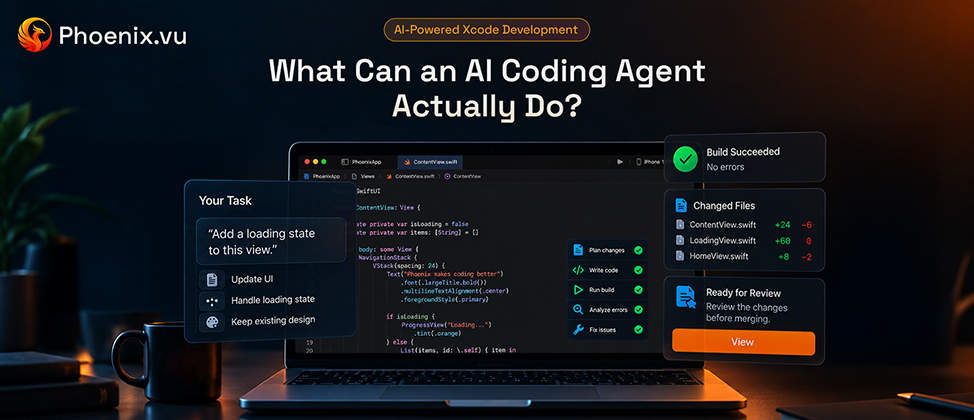
You describe a task in plain language — "add a loading state to this view" — and instead of a suggestion, you get a plan and, if you approve, execution: the agent writes the change, tries to build it, reads whatever the compiler or test runner says, and if something breaks, fixes it and tries again. It repeats that loop on its own until the task is done or it hits something it needs your judgment on.
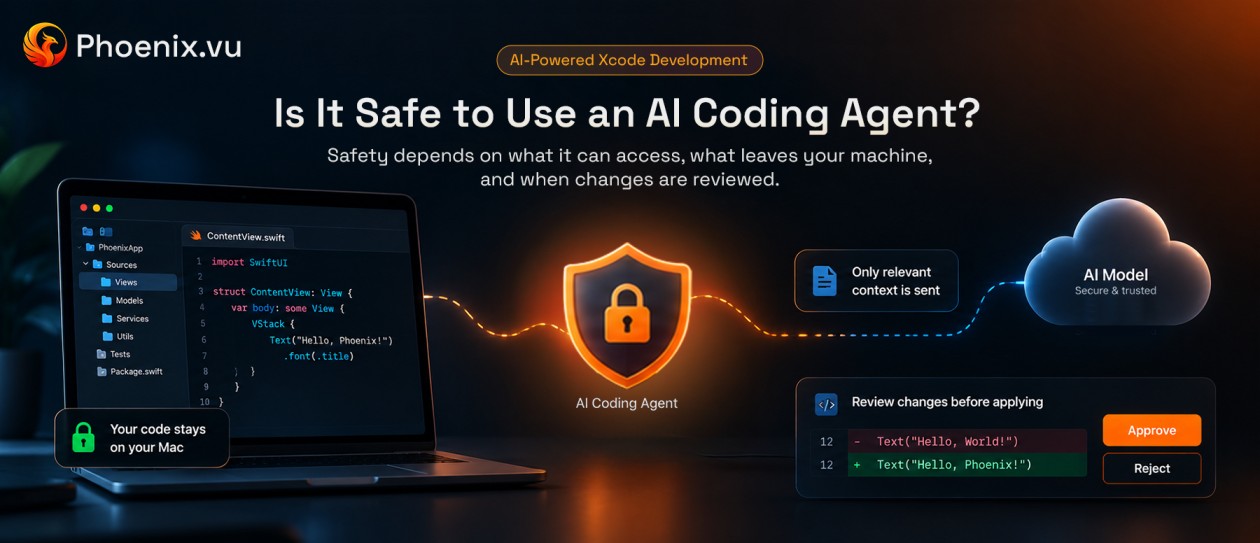
Phoenix.vu, built specifically for Xcode, is a concrete example of this pattern. Given a task, it plans the change against the actual project structure, runs the real Xcode build, reads the compiler's own diagnostics, and iterates through fixes automatically. It follows a classic Thought → Action → Observation loop to automatically apply fixes whenever the build fails. The result isn't handed off as a suggestion to manually apply — it's presented as a reviewable diff inside Xcode for approval before anything changes, with source code kept local throughout. It's a useful way to see the assistant/agent distinction stop being theoretical: the tool is driving the build-fix loop, not just answering a question about it.
For the full picture of which tasks that actually covers, see What Can an AI Coding Agent Actually Do?.
03 Common misconceptions
Isn't an agent just a chatbot with more steps?
No — the meaningful difference is tool access and self-correction, not conversation length. A chatbot that talks through five steps with you is still an assistant if you're the one executing each one. An agent executes them itself and checks its own results.
Does 'agent' mean no human review happens?
Not in practice, for anything trustworthy. Most credible coding agents still surface a diff or a pull request for a human to approve before changes land — the autonomy is in the planning and execution loop, not in skipping review entirely.
Are agents always cloud-based?
No — this varies by tool. Some agents run their reasoning in the cloud but keep your code local; others process everything remotely. It's worth checking directly, especially for a sensitive or proprietary codebase, rather than assuming either way.
Is Phoenix.vu an agent or an assistant?
Agent — and there's no separate suggestion mode to fall back into. It plans against your codebase, runs the actual Xcode build, and fixes what the compiler flags on its own, looping until the build is clean. What you approve is a diff, not a suggestion you're left to apply and test yourself.
04 Which one do you actually need?
- Reach for an assistantwhen the task is small enough that you already know the fix and just want it typed faster: a one-line change, a quick syntax question, an isolated piece of boilerplate.
- Reach for an agentwhen the task spans multiple steps you'd rather not babysit individually: a feature that touches several files, a bug that needs a build-test-fix cycle, a refactor where "does this actually still compile" is the real question.
In practice, most developers end up using both — an assistant for the small, immediate stuff, and an agent for the larger tasks worth handing off and reviewing once, rather than steering line by line.
The takeaway
The difference isn't marketing — it's architecture. An assistant responds once and waits for you. An agent pursues a goal, checks its own work against real feedback, and keeps going until it's done. Knowing which one a tool actually is (not just what it's called) determines how much of a task you can reasonably hand off, and how much you still need to monitor.