"It can build your whole app" is marketing. "It can plan a task, write the code, run it, and fix what breaks, on its own, within a defined scope" is closer to what's actually true today — and it's still genuinely useful.
This is a practical rundown of what AI coding agents can realistically handle right now, with real task categories, and just as importantly, where the boundary still is.
The short version
Task categories| Task category | Realistic today? |
|---|
| Implementing a described feature end-to-end | Yes, for well-scoped tasks |
| Fixing build errors and failing tests | Yes, this is one of the strongest use cases |
| Refactoring across multiple files | Yes, within a bounded area of the codebase |
| Writing tests for existing code | Yes |
| Flagging likely issues during review | Yes, as a supplement to human review |
| Answering questions about the codebase | Yes, when the agent has project context |
| Making architectural or product decisions | No, needs a human |
| Understanding business/user context behind a request | No, needs to be given, not inferred |
01 Implementing a described feature
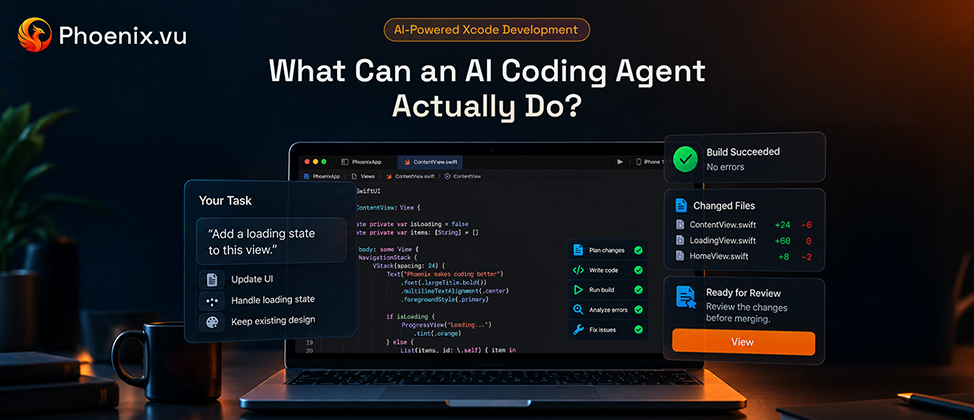
Given a clear, scoped description — "add a loading spinner while this list fetches" — an agent can plan the change, write it across whatever files it touches, and verify it actually works before handing it back. The quality of the result tracks closely with the quality of the description: a vague prompt produces a plausible-looking but often wrong implementation, the same way a vague spec does from a human engineer. Specificity is doing most of the work here, not the model.
02 Fixing build errors and failing tests
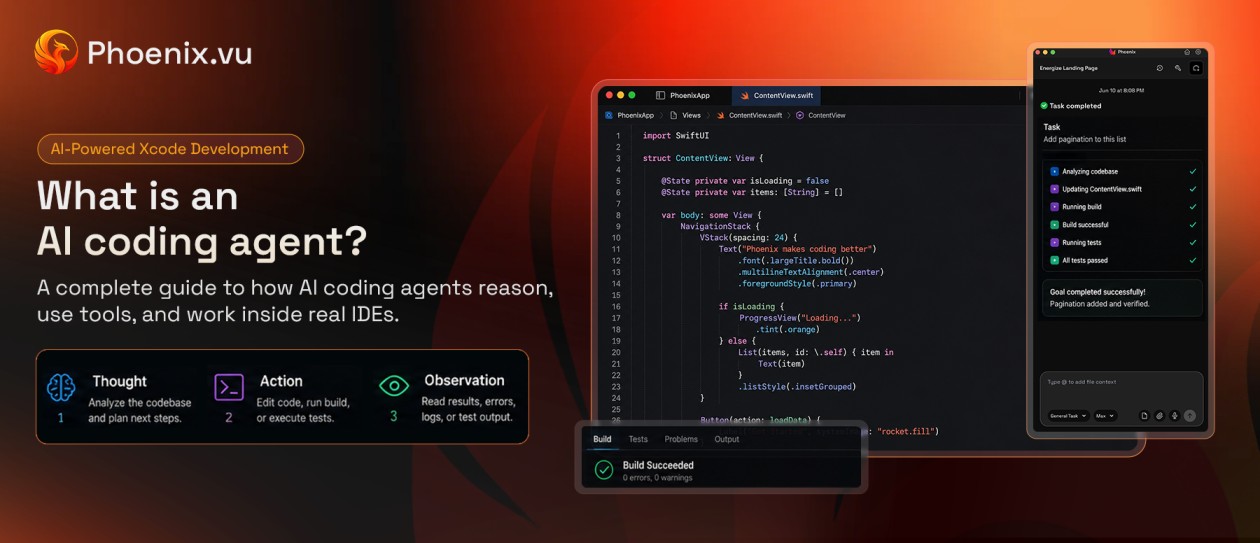
This is where agents currently earn their keep most reliably, because the feedback loop is unambiguous. A build either compiles or it doesn't; a test either passes or it doesn't. That clarity is exactly what a Thought → Action → Observation loop needs to self-correct effectively — there's no ambiguity to misjudge.
Phoenix.vu shows this well in practice: when a backend response shape changes and a Decodable model no longer matches it, the resulting build errors cascade across every call site that touches that model. Rather than surfacing each one for manual triage, it works through them in sequence — adjusting the model, re-running the build, and checking whether the next error is a genuine issue or just a downstream effect of the first fix — until the project compiles clean again. Errors with an unambiguous, machine-checkable outcome — a failing build, a failing test — are the category agents handle most dependably across the board, not just in this one implementation.
03 Refactoring across multiple files
Renaming a symbol, extracting a shared component, updating a pattern used in a dozen call sites — tasks that are mechanically clear but tedious to do by hand are a strong fit, because the agent can verify success the same way it does with a build: does the project still compile, do the tests still pass, after the change. The bound that matters here is scope — a refactor confined to a known area of the codebase is a very different task from "restructure how the whole app manages state," which shades into an architectural decision (see below).
04 Writing tests for existing code
Given a function or a view, an agent can generate test coverage for it — useful specifically for code that predates good test coverage, where writing tests by hand is the kind of task that's always technically important and always gets deprioritized. Worth treating agent-written tests the way you'd treat a junior engineer's first tests: check that they assert something meaningful, not just that they pass.
05 Supporting code review
Agents can scan a diff or a file for likely issues — an unhandled edge case, a pattern inconsistent with the rest of the codebase, a missed error path — as a supplement to human review, not a replacement for it. This is closer to a second set of eyes that never gets tired than a decision-maker on what should ship.
06 Answering questions about the codebase
An agent with real project context — not just the current file — can answer questions like "where is this value actually set" or "what calls this function" faster than searching manually, especially in a codebase you didn't write yourself. This depends entirely on the agent actually indexing the project rather than working from a narrow window, which is why "project memory" or equivalent context-handling is worth checking for in any agent you're evaluating.
07 Where the boundary still is
None of the above means an agent should be making decisions a developer should be making. A few boundaries worth being deliberate about:
- Architectural and product decisions.Whether a feature should exist, how a system should be structured, what trade-off is acceptable — these require judgment about business context an agent doesn't have and shouldn't be assumed to have.
- Ambiguous requirements.An agent will produce something for a vague prompt, it won't reliably produce the right something. Clarity in, useful output out; that relationship doesn't get better with a smarter model, it gets better with a clearer prompt.
- Security- and privacy-sensitive changes.Anything touching authentication, data handling, or permissions deserves the same review threshold it would from a human engineer — arguably a higher one, until an agent has an established track record on that specific class of change in your specific codebase.
- Final accountability.Whatever an agent produces still ships under a human's judgment. A reviewable diff you actually read before approving isn't friction — it's the mechanism that makes handing off the earlier steps safe in the first place.
08 What handing off a task actually looks like
Concretely, in an Xcode project: you describe the change, and once Phoenix.vu has a working result, it hands it back as a diff rather than applying it outright — every touched file, side by side with what it replaces. You approve it, send specific lines back for another pass, or reject it entirely, and nothing lands in the project until you do. That review step is doing real work, not just theater — it's where the "boundary" section above actually gets enforced in practice, and it's also why the source code staying on your Mac throughout matters beyond just privacy: nothing about the workflow asks you to trust a black box.
09 Common questions
Can an agent handle a whole feature end-to-end?
For well-scoped features, often yes — plan through implementation through a working build. For anything requiring a product or design decision along the way, it'll need that decision from you first.
Will it write tests I didn't ask for?
Depends on the tool and the prompt — some will proactively suggest test coverage as part of a change, most will only write what's explicitly asked for. Worth specifying if test coverage matters for a given task.
Can it work across multiple files and modules?
Yes, within the scope of the task, this is one of the clearer advantages over single-file autocomplete. The practical limit is usually how well the agent understands the relationships between those files, not a hard cap on file count.
What happens when it can't complete a task?
A well-built agent surfaces that it's stuck rather than shipping something broken, the iterative fix loop has a bound, and a credible agent stops and asks rather than looping indefinitely or forcing a change through.
The bottom line
The realistic capability list is already useful without needing to round up to "it can build anything": well-scoped features, build and test fixes, bounded refactors, test generation, review support, and codebase Q&A are all things an agent can genuinely take off a developer's plate today. The judgment calls — architecture, ambiguous requirements, anything security-sensitive — stay exactly where they've always been. Knowing which category a task falls into before handing it off is most of what makes working with an agent actually productive instead of just fast.